Everything it does, and how.
Each feature below is a switch you control. The plan label shows the lowest plan that includes it.
A priority score, with the reason
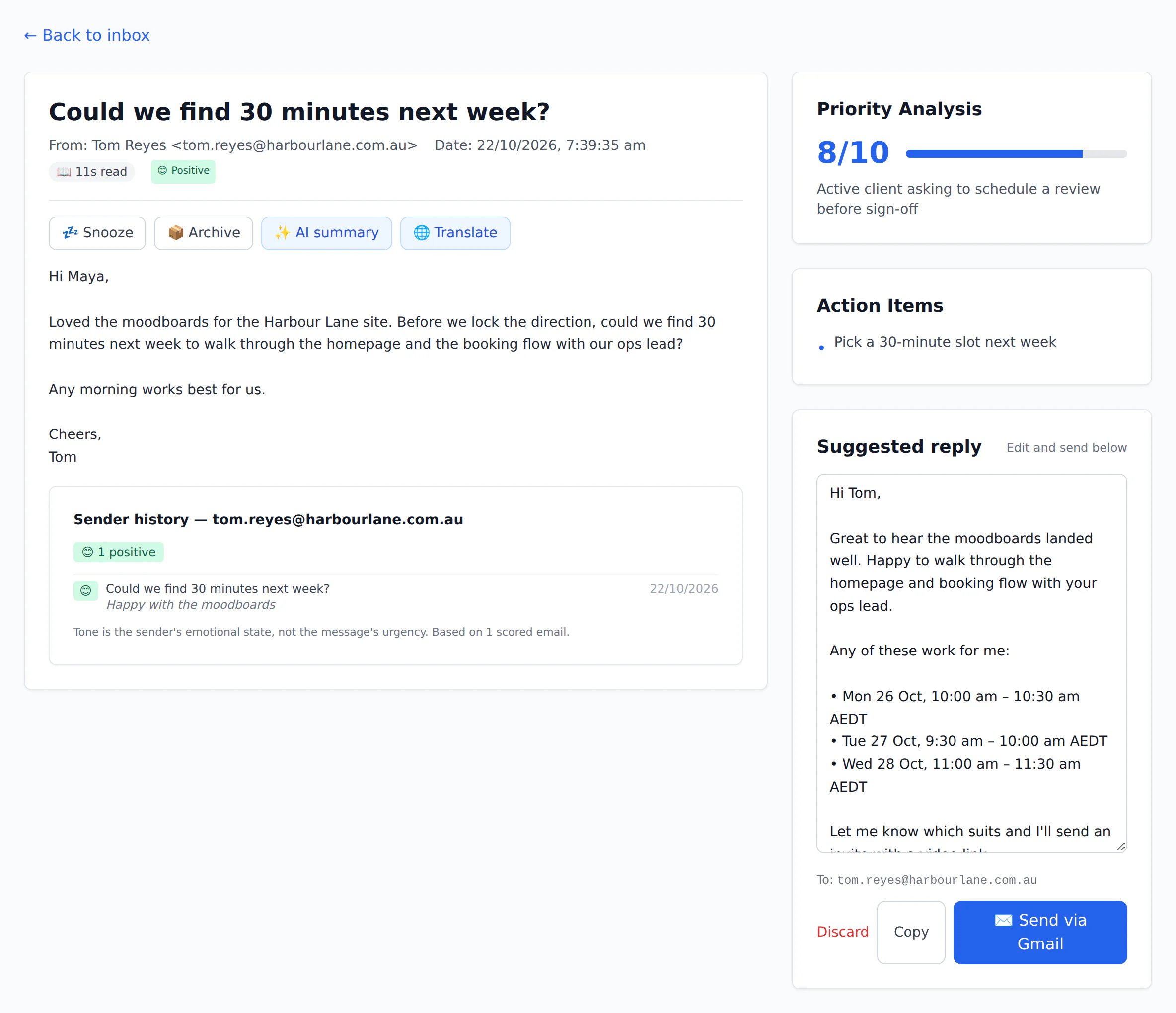
Each new email is read once, filed into a category (Needs response, FYI, Transactional and so on) and scored from 1 to 10.
The score comes with its reasoning — “Client deadline today; contract lapses at 5pm” — and the sender’s tone, so a frustrated customer stands out even when the subject line is polite.
Move an email to the right category in one click; your own rules can then pin senders or subjects to a category for good.
Labels in your real Gmail and Outlook
Turn on mailbox sync and every triaged email gets a label such as Email Triage/Needs Response, plus Email Triage/Priority for anything scored 8 or higher.
Archive here and it is archived in Gmail or Outlook too. Mail you archive yourself is never pulled back.
Only labels we create are ever touched. One click labels your last 30 days.
Results show up where you already read mail: Email Triage/… labels in Gmail, categories in Outlook, and archived mail leaves your inbox.
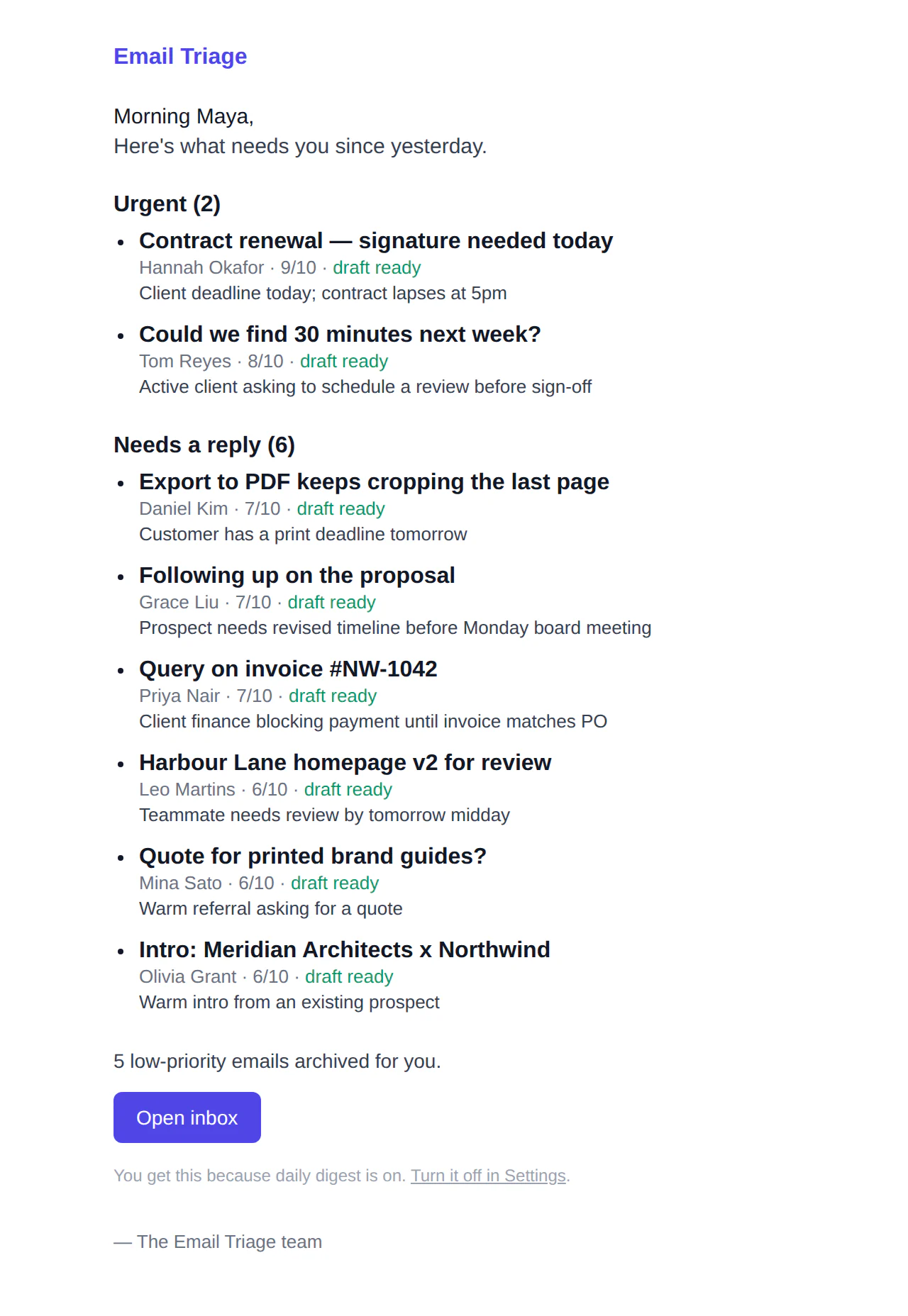
One short email each morning
Sent in your own timezone, once a day, and skipped entirely on days with nothing to report.
Each item carries its reason and a link straight to the draft reply.
Prefer Telegram? The digest can go there too, and urgent emails arrive as alerts with Archive and Snooze buttons.
Cold pitches, filed away
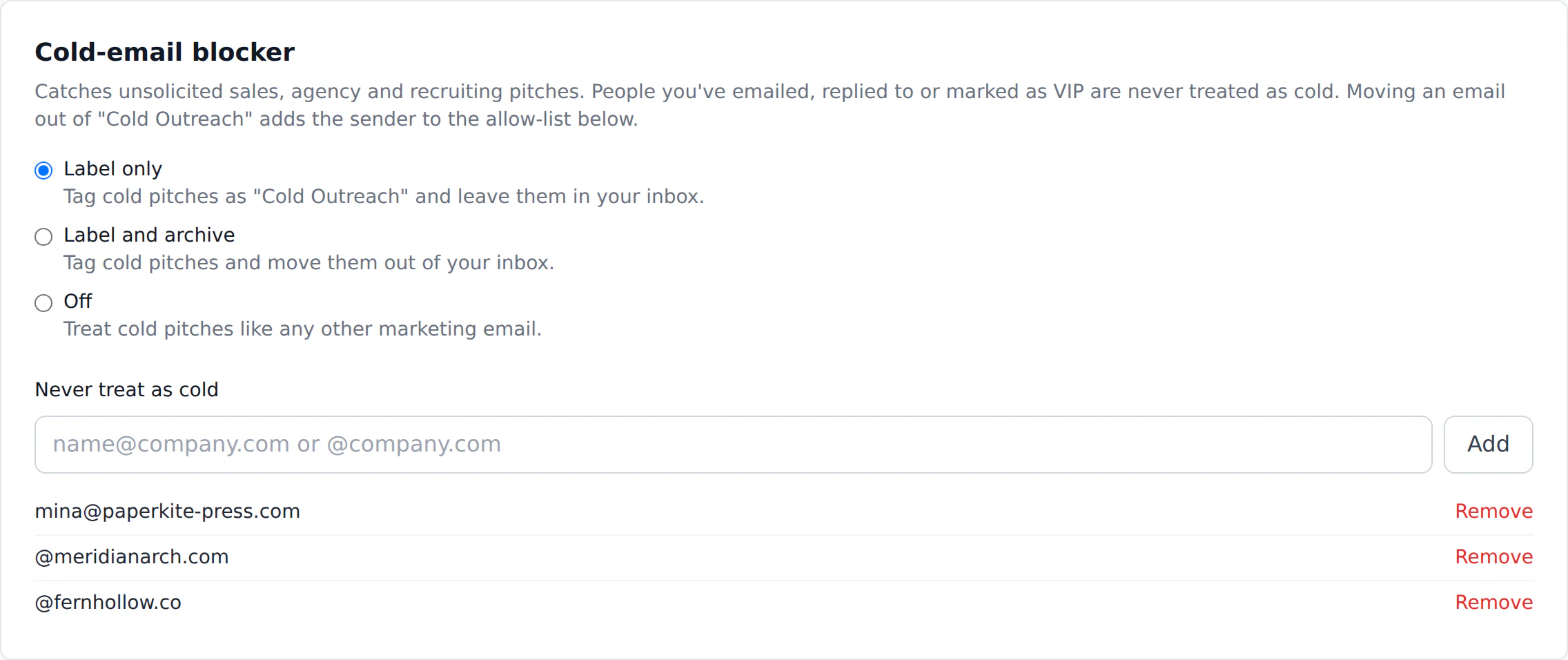
Separates personal-looking cold outreach (“15 minutes this week?”) from newsletters you signed up for.
Anyone you have emailed (we check your Gmail Sent folder), VIP senders and anyone you have replied to are always let through.
Rescue one by mistake and that sender is remembered for good.
Rules in plain English, tested first
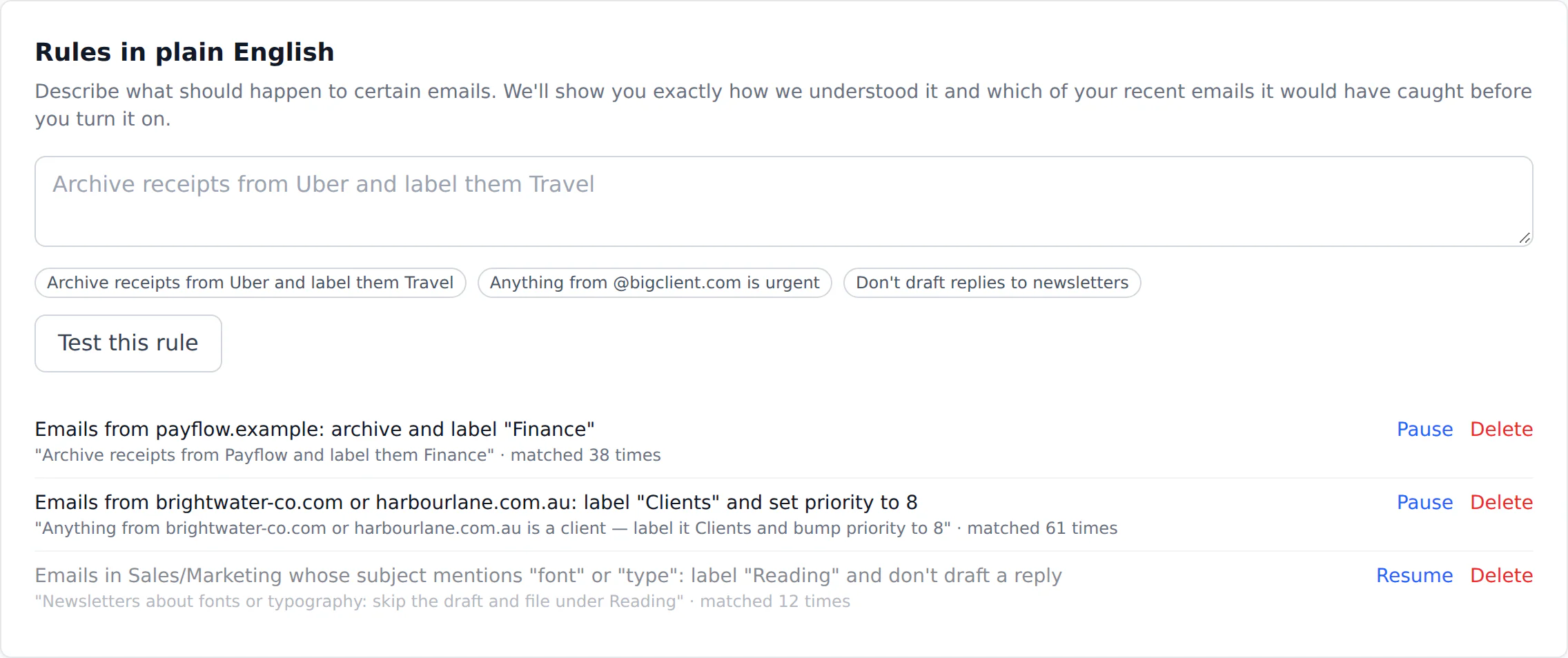
The rule is read once and shown back to you in plain words, so you know what it will and won’t do.
A dry run against your last 50 emails shows every match before the rule goes live.
Rules then run instantly on each new email, with no AI cost per message.
Drafts in your voice, with your facts
One click learns your writing style from your recent sent mail: greetings, sign-offs, length and tone.
Add your FAQ, pricing page or policies and the right snippets are used when a reply needs a fact.
If the answer isn’t in your notes or the email, the draft says you’ll confirm rather than inventing it.
Replies are written the way you write, using your own prices, policies and FAQ instead of guesses.
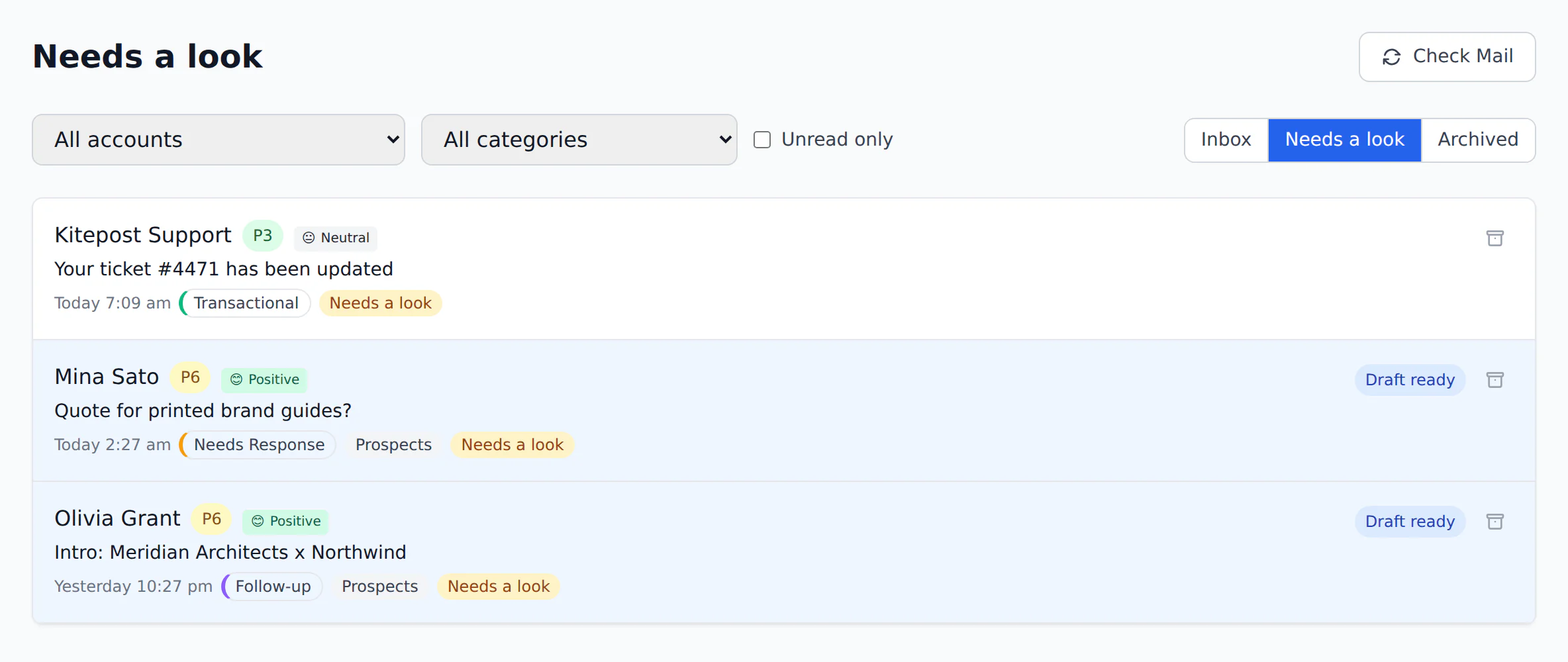
“Needs a look” when the AI isn’t sure
Every email carries a confidence score. Low-confidence mail goes to its own tab and gets its own label.
Nothing flagged is ever auto-archived or auto-sent, whatever your other settings say.
Meeting requests answered with real times
Uses Google’s free/busy permission only: we see when you are busy, never what the meeting is.
Respects your working days, hours, timezone and preferred meeting length.
When someone asks for a call, the draft offers three free slots from your Google Calendar, inside your working hours.
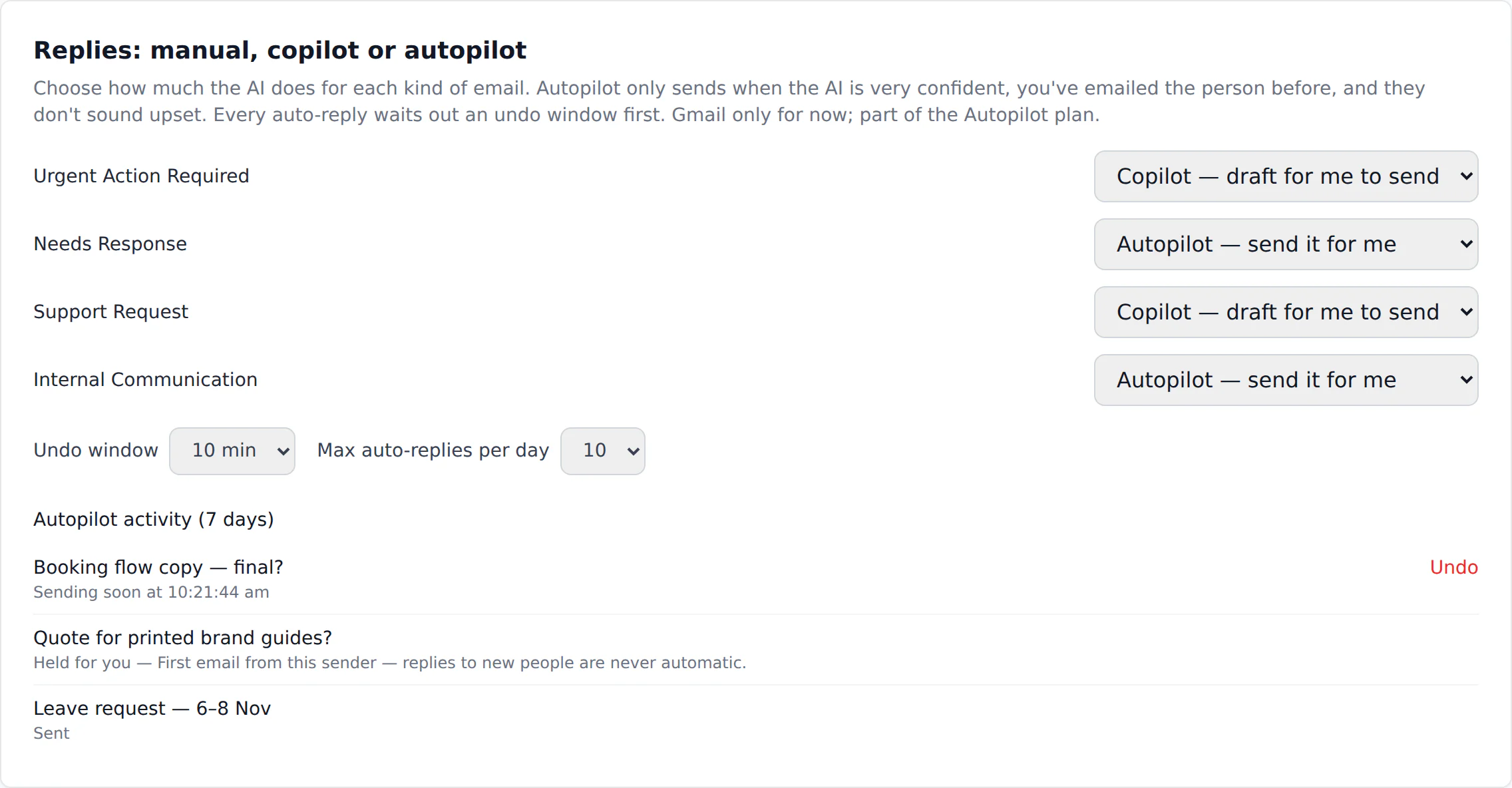
Autopilot, with guardrails
Choose the categories it may answer. Everything else stays a draft.
Every send waits out an undo window you set, and every decision is logged with its reason.
- Only categories you chooseOff by default. Urgent and sales mail can never be answered automatically.
- Very high confidenceThe AI must be at least 85% sure, and the email can’t be flagged “Needs a look”.
- Only people you knowFirst emails from new senders always wait for you.
- Never to an upset senderFrustrated or pressured tone sends it back to you.
- An undo windowEvery reply waits 2 to 60 minutes, your choice, with an Undo button.
- A daily limitA hard cap on auto-replies per day. Ten unless you change it.
- Stops if you step inSend your own reply or archive the email in Email Triage and the queued send is cancelled.
- Everything loggedSent, held and cancelled replies are listed with the reason.
Telegram and your AI assistant
Personal access tokens, read-only by default. Archive and snooze only if you allow it.
Works with any MCP client over HTTP.
Urgent alerts in Telegram, and an MCP server so Claude or Cursor can read your triaged inbox when you ask.
The everyday conveniences.
One inbox for every account
Gmail and Outlook side by side; the same email in two mailboxes shows once.
Thread summaries and translation
Two-sentence summaries on demand, and translation into nine languages.
Follow-up reminders
Sent mail with no reply after a few days is listed, with a polite nudge drafted.
Bulk unsubscribe
Pick the senders you never read and unsubscribe in one go; we check it worked.
Snooze
Hide an email until tomorrow, next week, or a time you choose.
Webhooks
Post triaged emails to Zapier, Make or your own systems, filtered by priority, category or sender domain.
Insights
Where your inbox time goes, priority trends by week, and what the AI costs you.
Bring your own key
Use your own Anthropic key and pay less; the key is encrypted and never shown again.